
If you’re planning to start a podcast, one of the most important pieces of equipment you’ll need is an audio interface.
While microphones tend to get most of the attention, an audio interface is often the piece of gear that makes professional-quality podcast audio possible. It acts as the bridge between your microphone and your computer, ensuring your voice is captured clearly and reliably during recording.
At Gaffin Creative, we’re often asked which audio interface we recommend for podcasters. While Focusrite’s Scarlett line has been an industry favorite for years (and one we love), our go-to recommendation for most podcasters today is the Focusrite Vocaster.
Let’s break down what an audio interface does, why it’s important, and how to choose the right option for your podcast.
TLDR
- We recommend the Focusrite Vocaster Two for ease of use & option to record on two mics (or the Focusrite Vocaster One is you only need one mic).
- You can’t go wrong with any of the four in this list.
- Check out our full gear guide!
What Is an Audio Interface?
An audio interface is a device that connects your microphone to your computer.
Most professional podcast microphones use XLR connections rather than USB. An audio interface provides the power and processing needed for those microphones while converting your voice into a digital signal your recording software can understand.
Without an audio interface, many professional podcast microphones simply won’t work.
Think of it this way:
- Your microphone captures your voice.
- Your audio interface processes that audio signal.
- Your computer records the finished result.
Together, they create the foundation of your podcast recording setup.
Why Is an Audio Interface Important for Podcasting?
A quality audio interface can make a significant difference in your recording experience.
The right interface helps:
- Produce cleaner, more professional audio
- Reduce unwanted noise and distortion
- Power professional XLR microphones
- Allow multiple people to record together
- Brings your professional microphone audio (gain*) up to standard recording level
For podcasters, reliability matters just as much as sound quality. The last thing you want is to lose an interview because of confusing settings or technical issues.
That’s one reason we’re such big fans of the Focusrite Vocaster series.
*What is Gain?
Gain controls how sensitive your microphone is to sound and determines how strong your voice signal is when it’s recorded. If the gain is too low, you’ll sound quiet; if it’s too high, your audio can become distorted and pick up more background noise.
Focusrite Scarlett vs. Focusrite Vocaster
For years, the Focusrite Scarlett line has been one of the most popular audio interfaces on the market and for good reason. The Scarlett series offers excellent sound quality and has become a staple among musicians, producers, and audio professionals.
However, podcasting has different needs than music production.
Many podcasters don’t need advanced recording features or a complicated setup. They simply want a reliable setup that sounds great and is easy to use.
That’s exactly why Focusrite developed the Vocaster line.
The Vocaster was designed specifically for podcasters and content creators, making the setup process significantly simpler while still delivering excellent audio quality.
Why We Prefer the Focusrite Vocaster for Most Podcasters
The biggest advantage of the Vocaster is ease of use.
Focusrite intentionally simplified many of the settings that can feel overwhelming on traditional audio interfaces. Features like automatic gain setup, intuitive controls, and podcast-focused software make it much easier for beginners to get professional results without a steep learning curve.
That doesn’t mean the Scarlett is a bad choice.
In fact, we still recommend Scarlett interfaces regularly.
The difference is that the Vocaster was built with podcasters in mind, while the Scarlett was originally designed for a broader audio production audience.
For many business owners launching a podcast, that simplicity can make a huge difference.
Vocaster One vs. Scarlett Solo
If you’ll be recording by yourself, both of these interfaces can be excellent options.
Focusrite Vocaster One
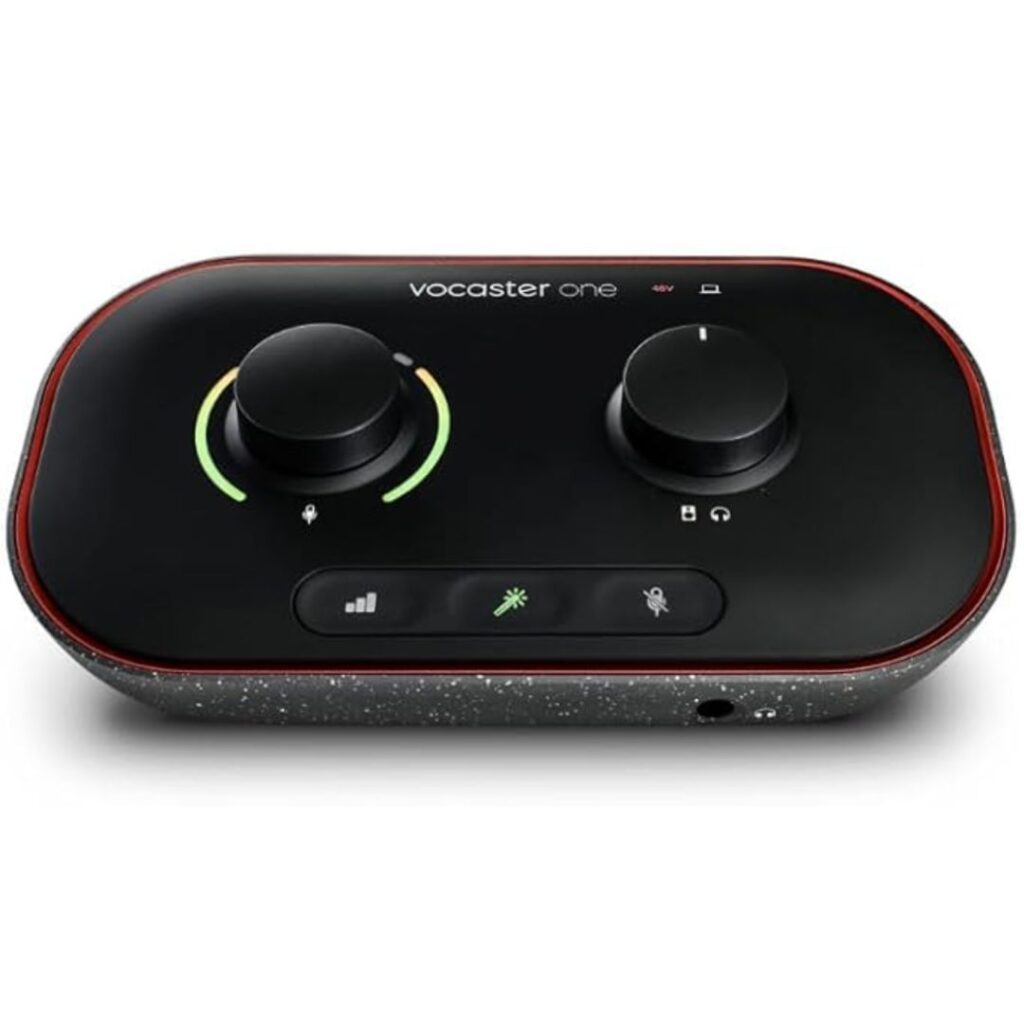
The Vocaster One includes:
- One XLR microphone input
- Automatic gain setup
- Podcast-focused controls
- Easy-to-use software
- Streamlined setup for beginners
This is our favorite option for solo podcasters who want a straightforward recording experience.
Focusrite Scarlett Solo
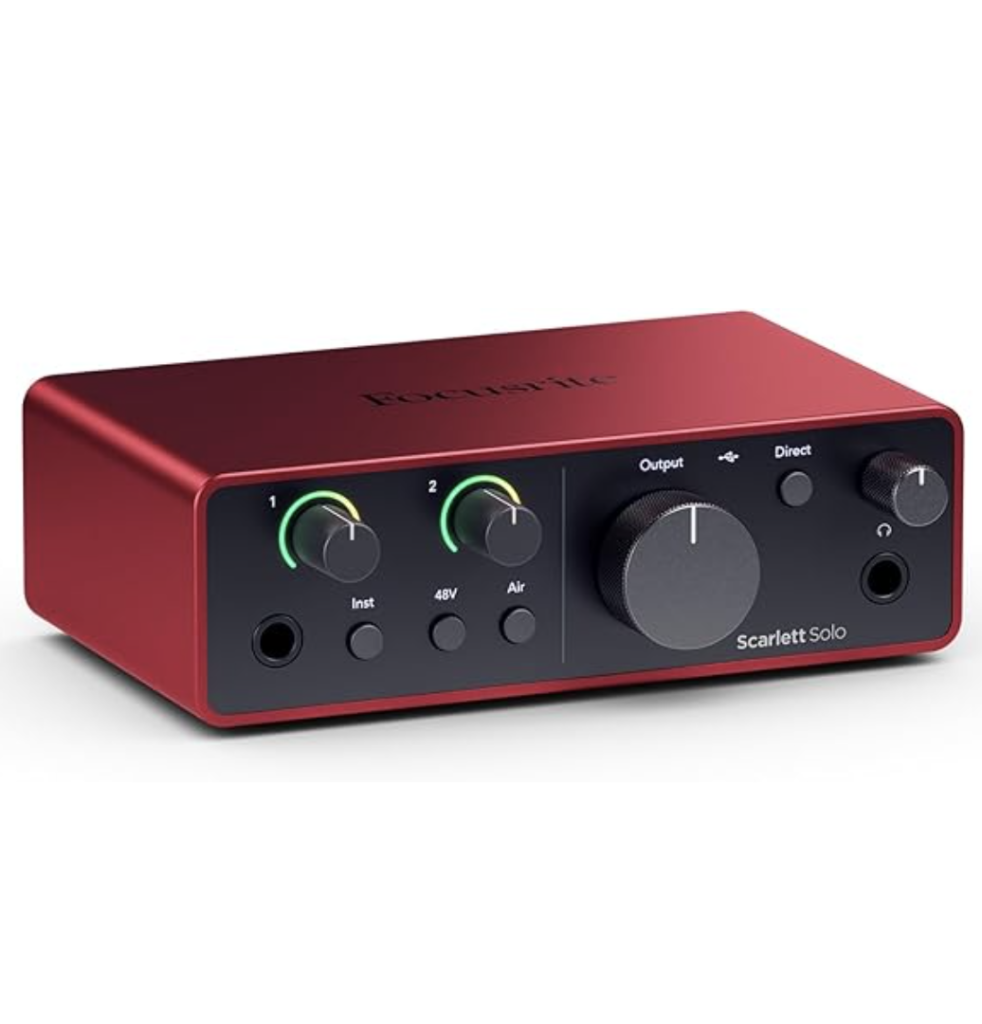
The Scarlett Solo includes:
- One XLR microphone input
- Additional instrument input designed for musicians
- More manual controls
- Greater flexibility for audio production
While the Scarlett Solo sounds fantastic, many podcasters never use the additional features it offers.
If your primary goal is podcasting, the Vocaster One is often the simpler choice.
Vocaster Two vs. Scarlett 2i2
If you’ll regularly record with a co-host or in-person guest, you’ll want an interface with two microphone inputs.
Focusrite Vocaster Two
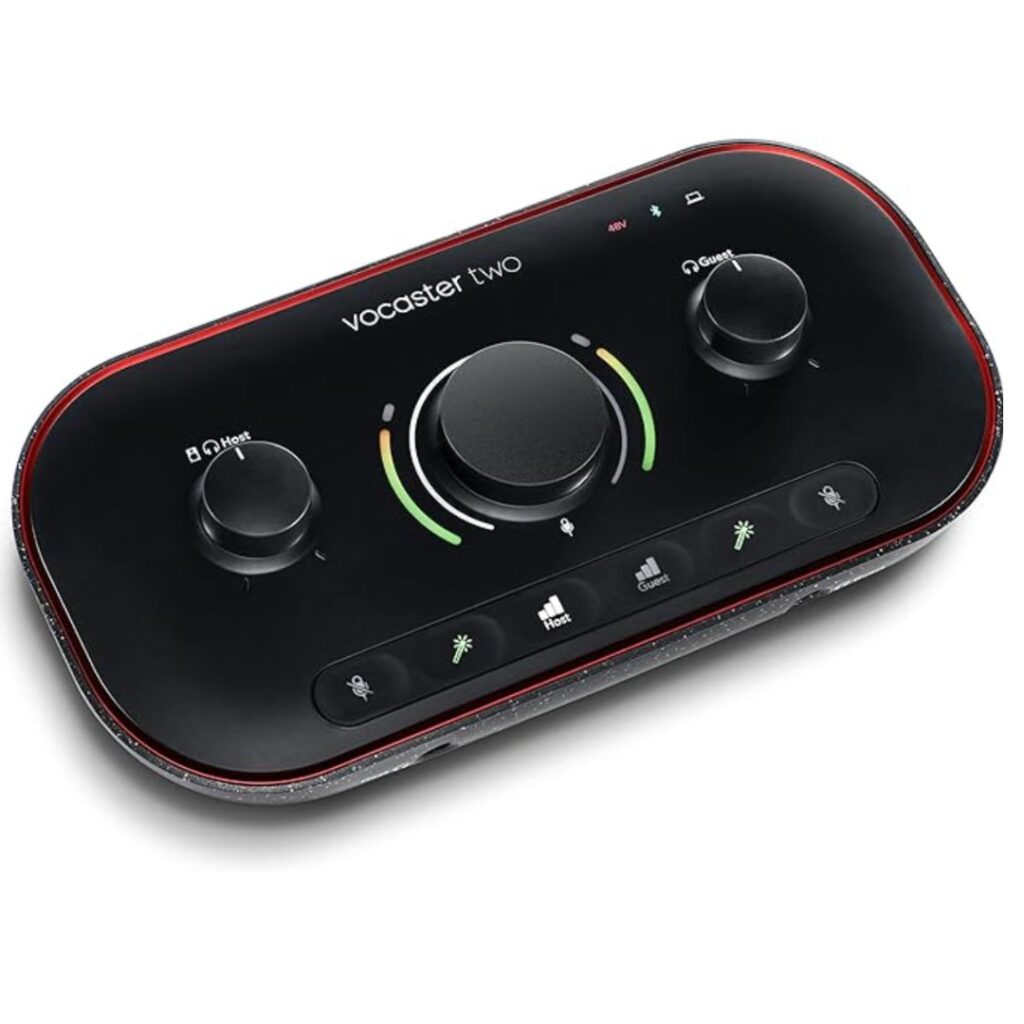
The Vocaster Two includes:
- Two XLR microphone inputs
- Independent controls for both microphones
- Automatic gain setup
- Podcast-focused workflow
- Built-in features designed specifically for content creators
This is typically the interface we recommend for co-hosted podcasts or anyone planning to conduct in-person interviews. It’s actually what we use for our podcast recordings as well!
Check out our full gear setup for Clocking In >>
Focusrite Scarlett 2i2

The Scarlett 2i2 includes:
- Two XLR microphone inputs
- More advanced recording controls
- Flexibility for music production and audio engineering
- Professional-grade audio quality
Like the Scarlett Solo, the 2i2 is an excellent interface. However, many podcasters find themselves using only a fraction of its capabilities.
If podcasting is your primary focus, the Vocaster Two often provides everything you need with a much simpler setup process.
Which Audio Interface Should You Choose?
Our recommendation is simple: If you’re a podcaster first and foremost, choose the Focusrite Vocaster:
- Solo Podcasters Only Recording Virtual Interviews: Vocaster One
- Podcasters Planning to Record with Others In-Person (Two Mics): Vocaster Two
If you’re also producing music, recording instruments, or want access to more advanced audio controls, consider the Focusrite Scarlett line.
Both deliver excellent sound quality. The biggest difference comes down to usability.
The Vocaster was built specifically to help podcasters create professional recordings without getting lost in complicated audio settings.
Explore Our Recommended Podcast Gear
Choosing the right audio interface is only one piece of building a great podcast setup.
We’ve put together a complete list of our favorite podcasting equipment, including microphones, headphones, recording software, accessories, and audio interfaces.
Explore our full podcast gear recommendations page to find the tools we use and recommend to podcasters every day.
If you decide to use any of the links above and buy through them, I’ll receive a small commission back.


